
How do I complete my background check?
All Parent Assistant Coach (PAC) and Team Parent registrations will be reviewed 90 days prior to a program's start date. Volunteers will be allocated to a team and then Parent Assistant Coaches will be prompted to complete the background check process.
Selected PACs will have seven days to complete their background check before the registration window closes. Those who do not complete their background check within this timeframe are subject to removal from the team as a PAC.
Log into the nextlevelsports.com account used to register your athlete
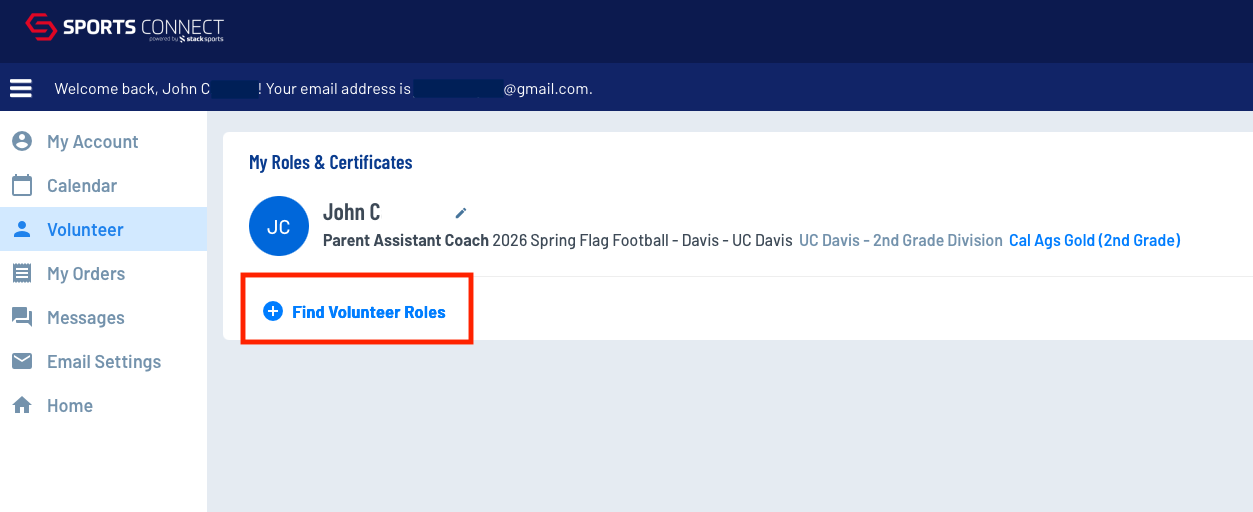
Click Volunteer on the left sidebar and then Find Volunteer Roles
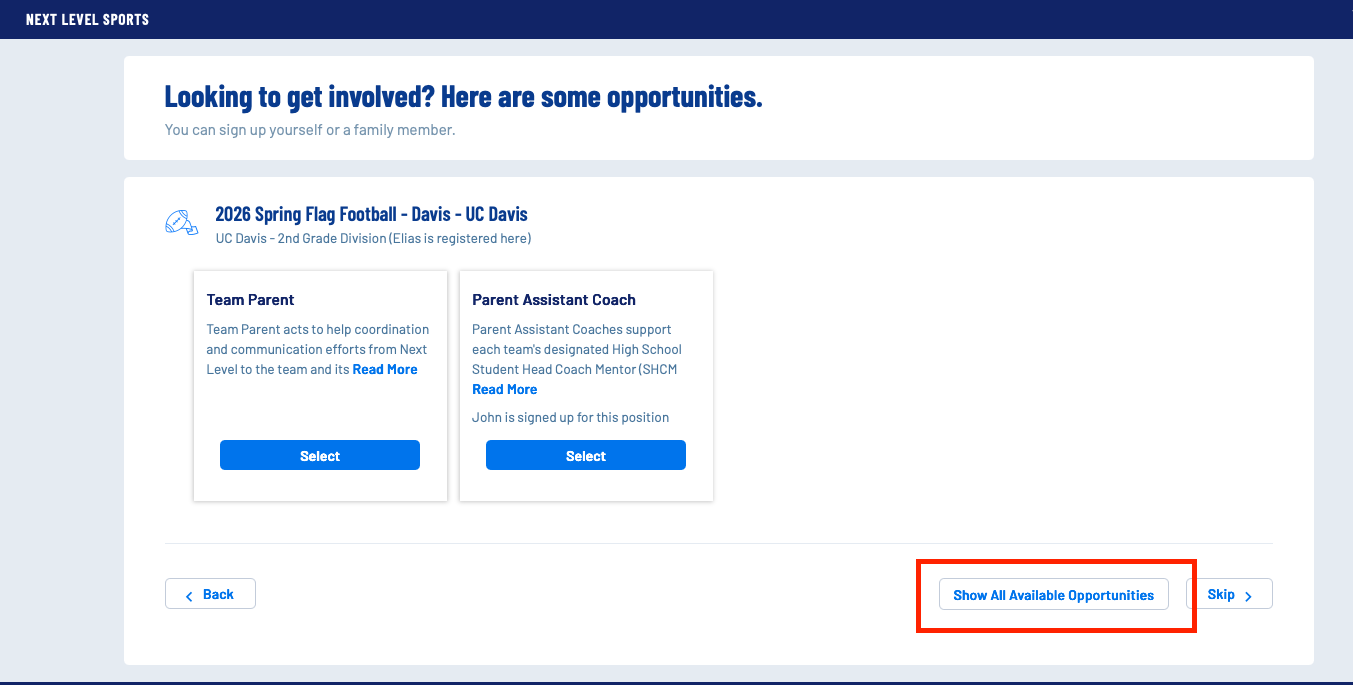
Click Show All Available Opportunities
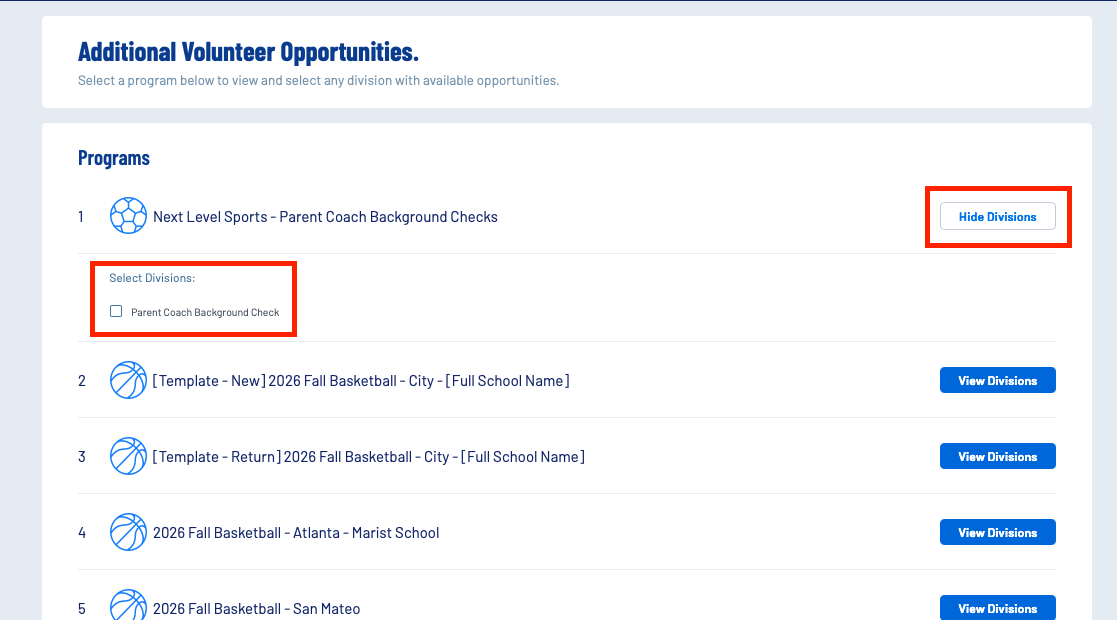
Find Next Level Sports - Parent Background Checks
Click View Divisions and select Parent Coach Background Check
Scroll to the bottom and click View Selected Opportunities
Click Select in the Parent Coach Background Checks box
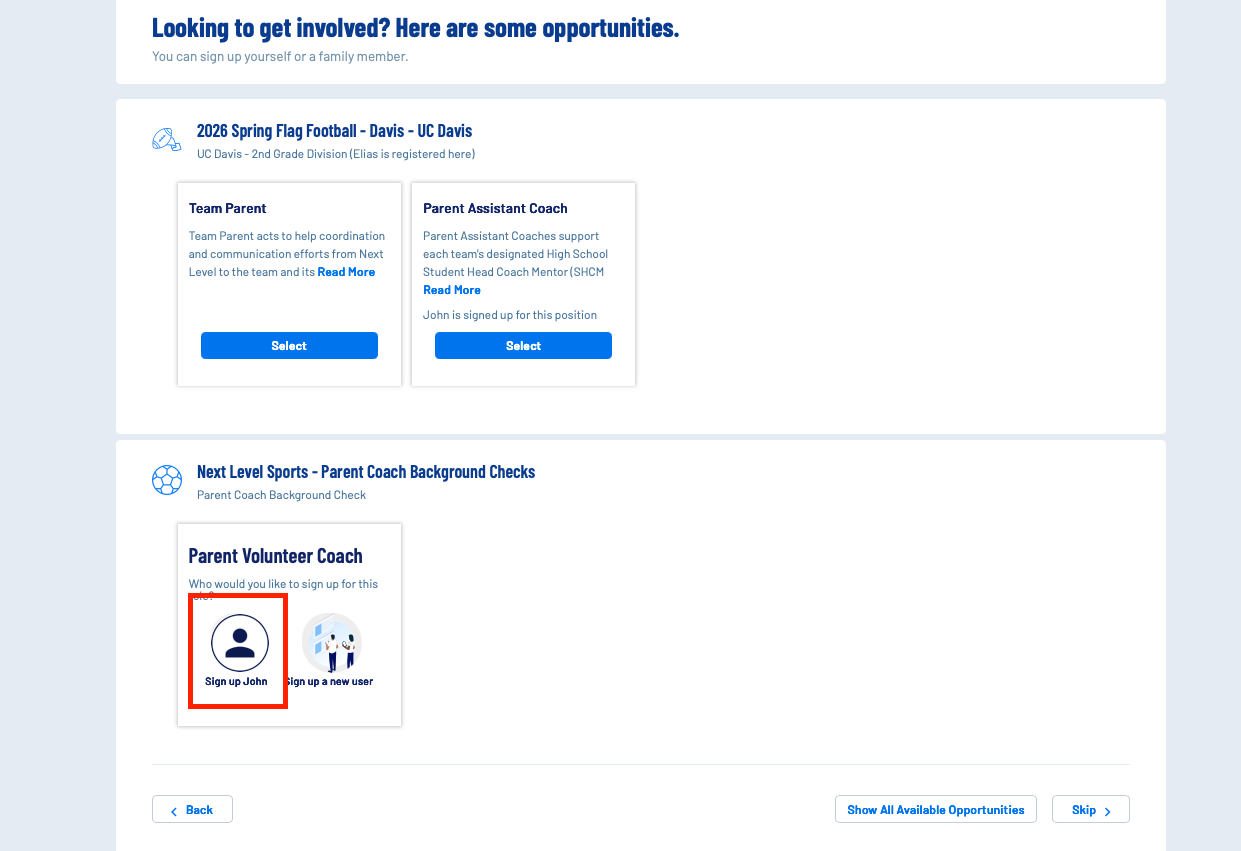
Sign up yourself
Do not register your child or a new user, unless you do not have your own account already.
Complete the required fields and submit
Your risk status can be viewed within your account at any time upon background check submission.